How to monitor swaps made by your users

Joining the LetsExchange affiliate program allows you to generate an additional income source by using an exchange widget, a Telegram bot, or an affiliate link. When earning, you for sure will want to monitor all the activities of your users performed via the affiliate tools, and track all the earnings. This can be done directly from your personal cabinet.
You can check all the information on the swaps made by your users through your Affiliate ID via a referral link, an exchange widget, or a Telegram bot in your personal account.
Referral links To access all the data on your affiliate swaps, click the or Widget & Buttons tab in the sidebar.
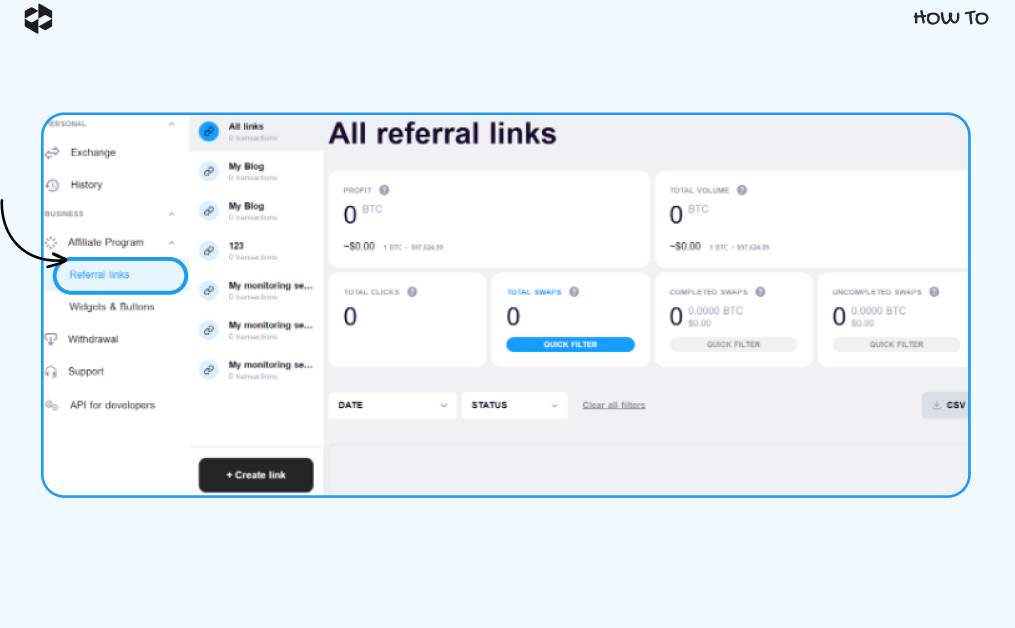
We will look at this process using the example of the Referral links tab. For the Widgets & Buttons tab, the actions are similar.
Find the link (or the widget) for which you want the data displayed, and choose it.
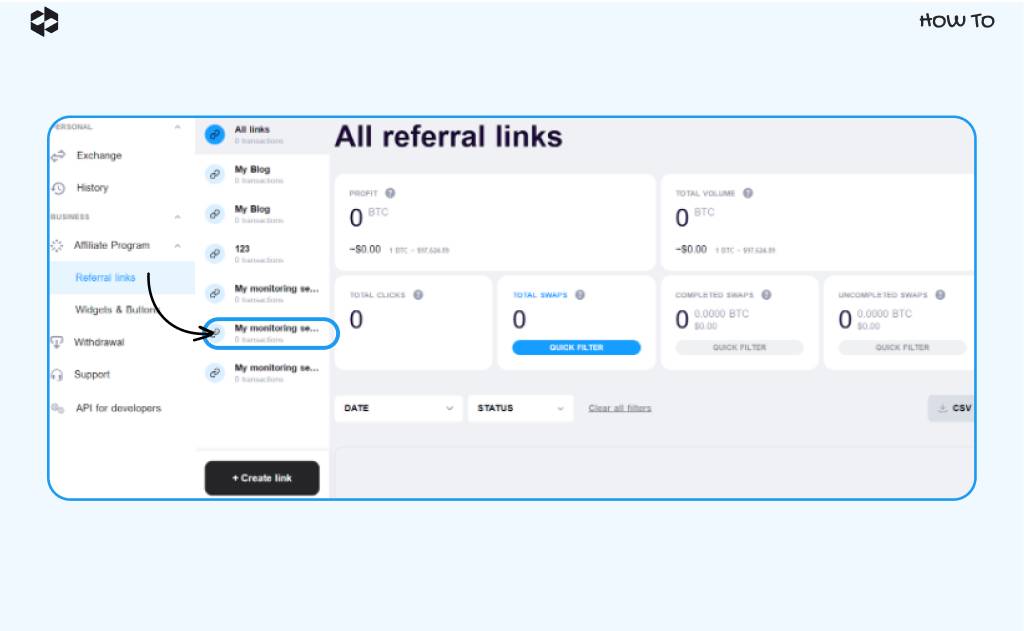
You can check such information as:
- your profit earned from affiliate swaps
- total volume swapped
- total number of clicks on your affiliate link
- the total number of swaps
- the number of completed swaps
- the number of swaps that were not completed.
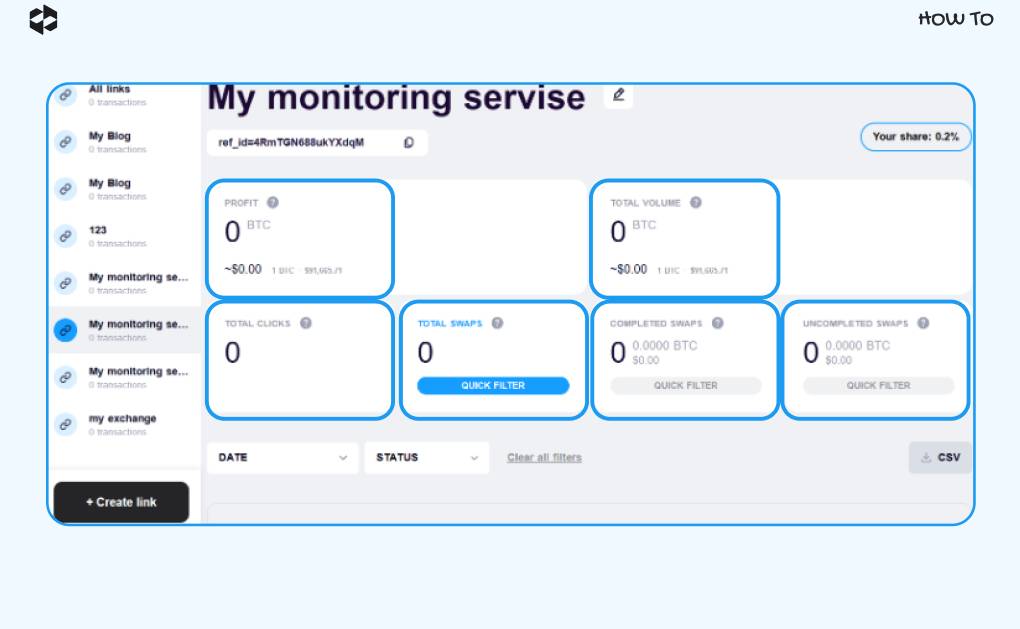
You can also use filters to see swaps based on the date when they were performed or based on the transaction status.
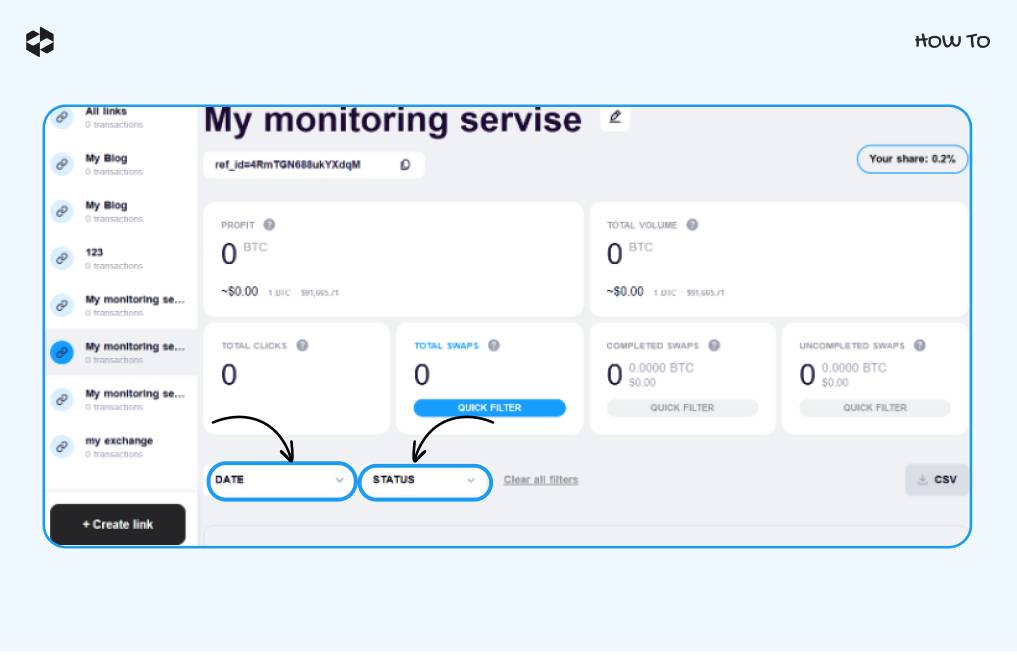
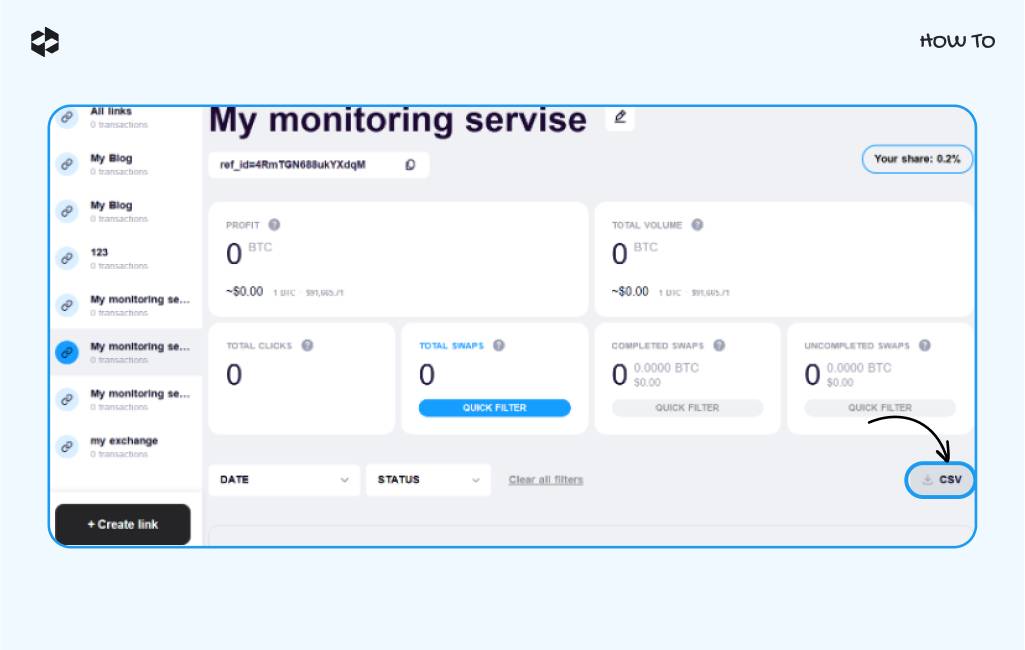
CSV Finally, you can download all the data in a CSV file by clicking the button in the bottom right corner.