How to track a transaction on LetsExchange.io

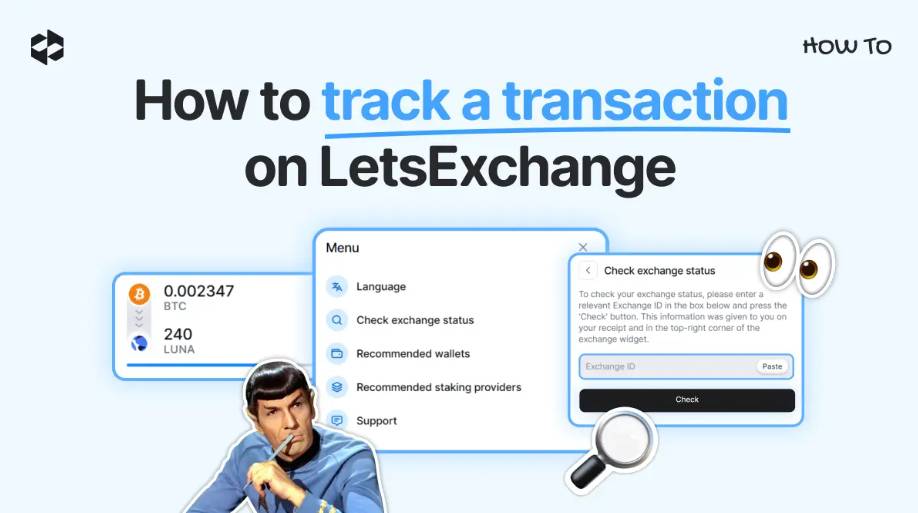
the Exchange ID When swapping crypto, you want to be updated about each process step. Sometimes, it is needed to check the details of a past operation. You can do it from your personal account or by using .
Here is how to track a transaction if you swap funds on LetsExchange.
Tracking a transaction from your personal account
the History tab If you have registered an account on LetsExchange, you can easily track any of the swaps you’ve made. To do so, log in to your account. There, click on in the left menu.
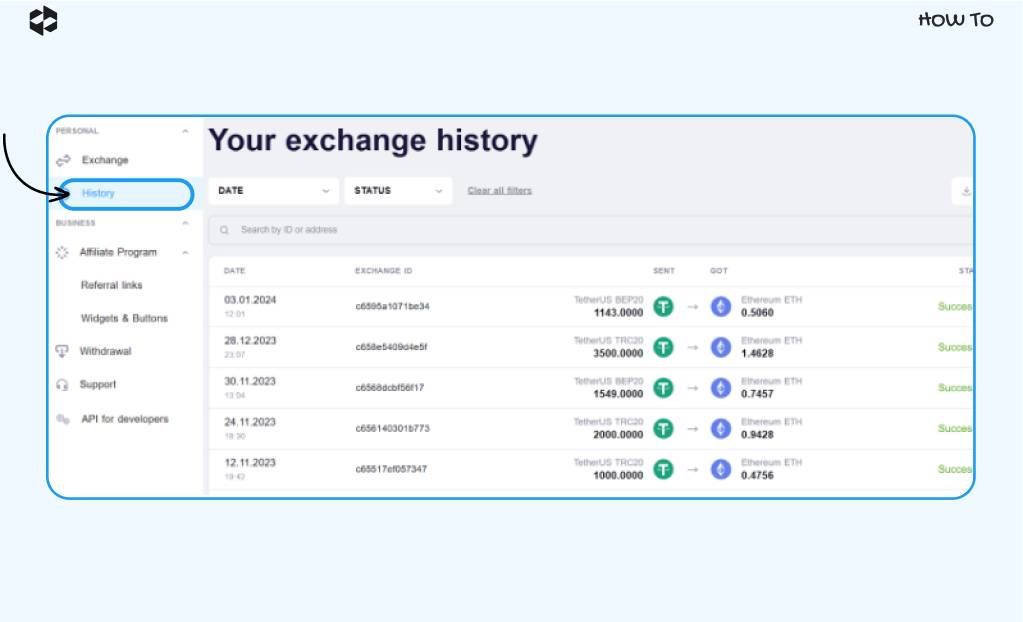
You will be displayed your transaction history. You can check the date when the swap was made, the exchange ID, the crypto pair, and the exchange status there.
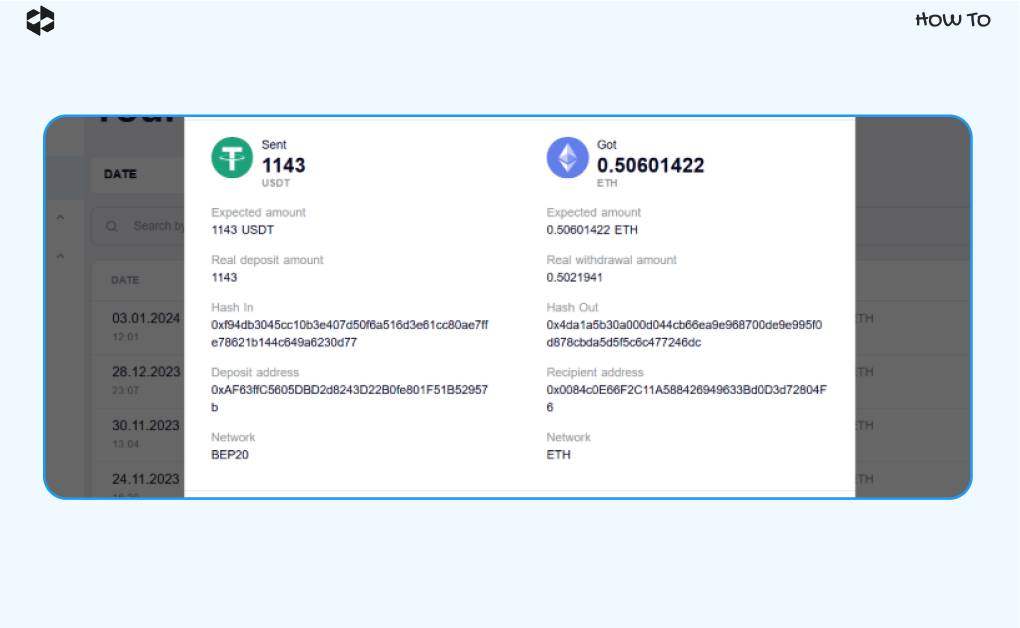
Click on the transaction whose data you want to check to see all the details.
Tracking a transaction from the Transaction Status page
You can also see each step of the swapping process in the exchange widget. When creating a swap, you will be provided the Exchange ID. With this ID, you can check the swap status at any time.
Transaction status the Check button You can copy-paste this ID on the page, click , and see at which stage your swap is.
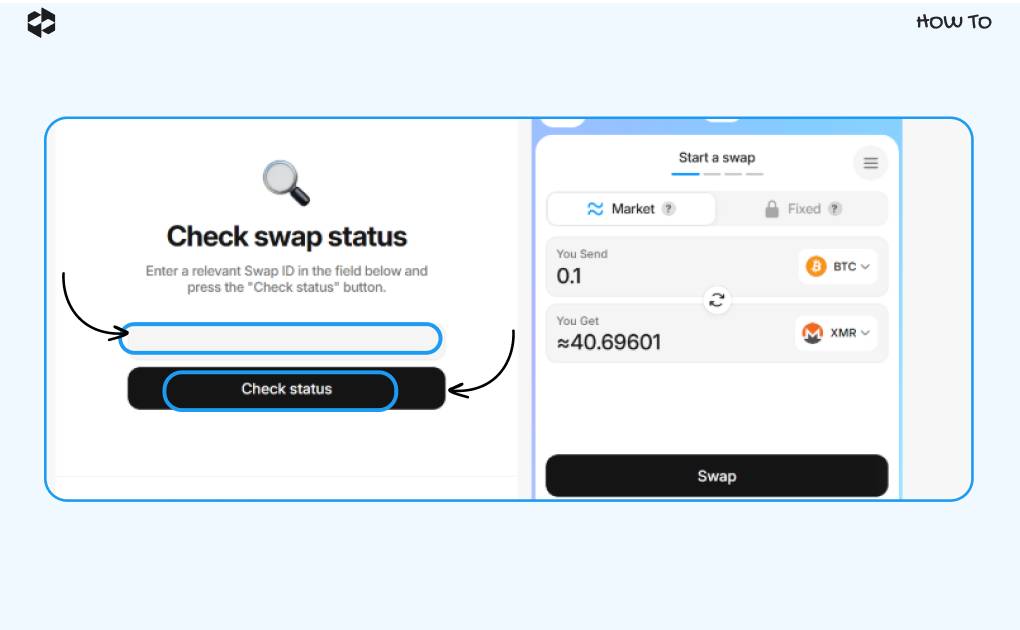
Checking transaction status from the widget menu
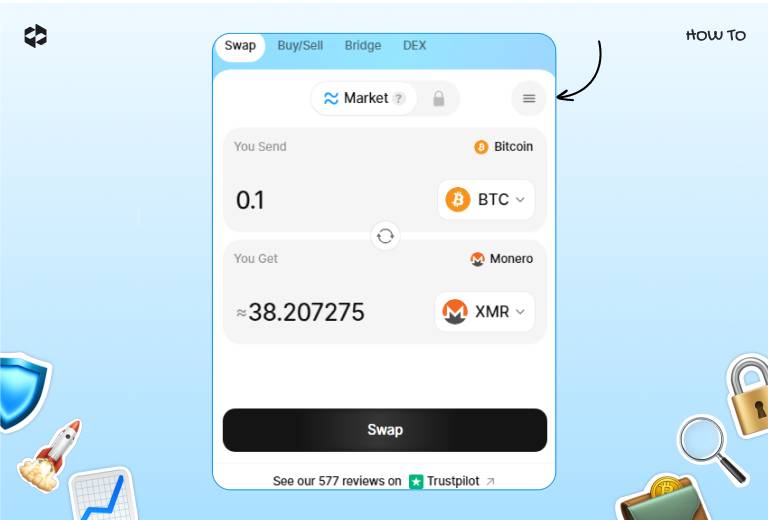
To check the transaction status from the widget menu, click on the button in the upper right corner to display the menu.
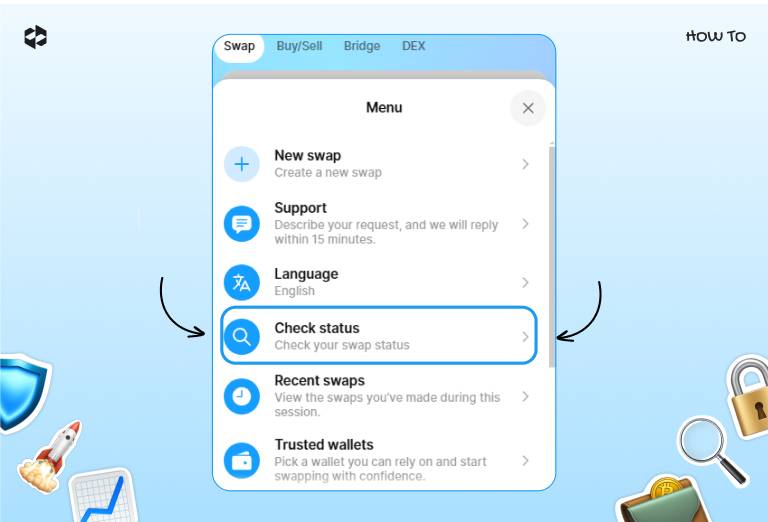
the Check Exchange Status option Choose .
the Submit button Copy-paste the Exchange ID and click .
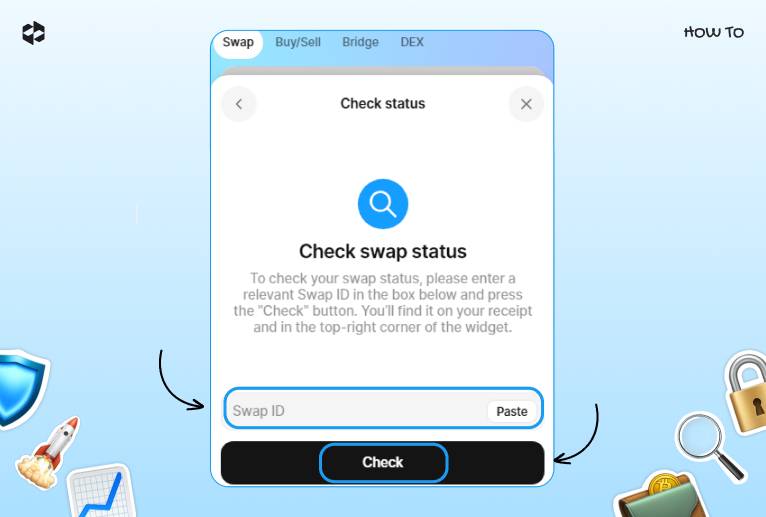
You will be displayed the exchange widget with the current information on your swap.
And if you have any questions, our customer support is available 24/7. They will willingly update you on your transaction status and assist if you have any issues.


